An AI Voice Dictation App for People Who Think Faster Than They Type
Voice Cursor turns rough speech into polished writing, helping people capture what they mean instead of preserving every stumble.

Voice Cursor Team
2026年5月18日 3 min read
Most people do not think in keyboard speed.
You might type at 40, 60, or even 90 words per minute. But your thoughts move differently. They arrive in bursts. They interrupt each other. They come with context, emotion, half-sentences, examples, objections, and details that are hard to trap one keystroke at a time.
That is the core problem Voice Cursor is built around.
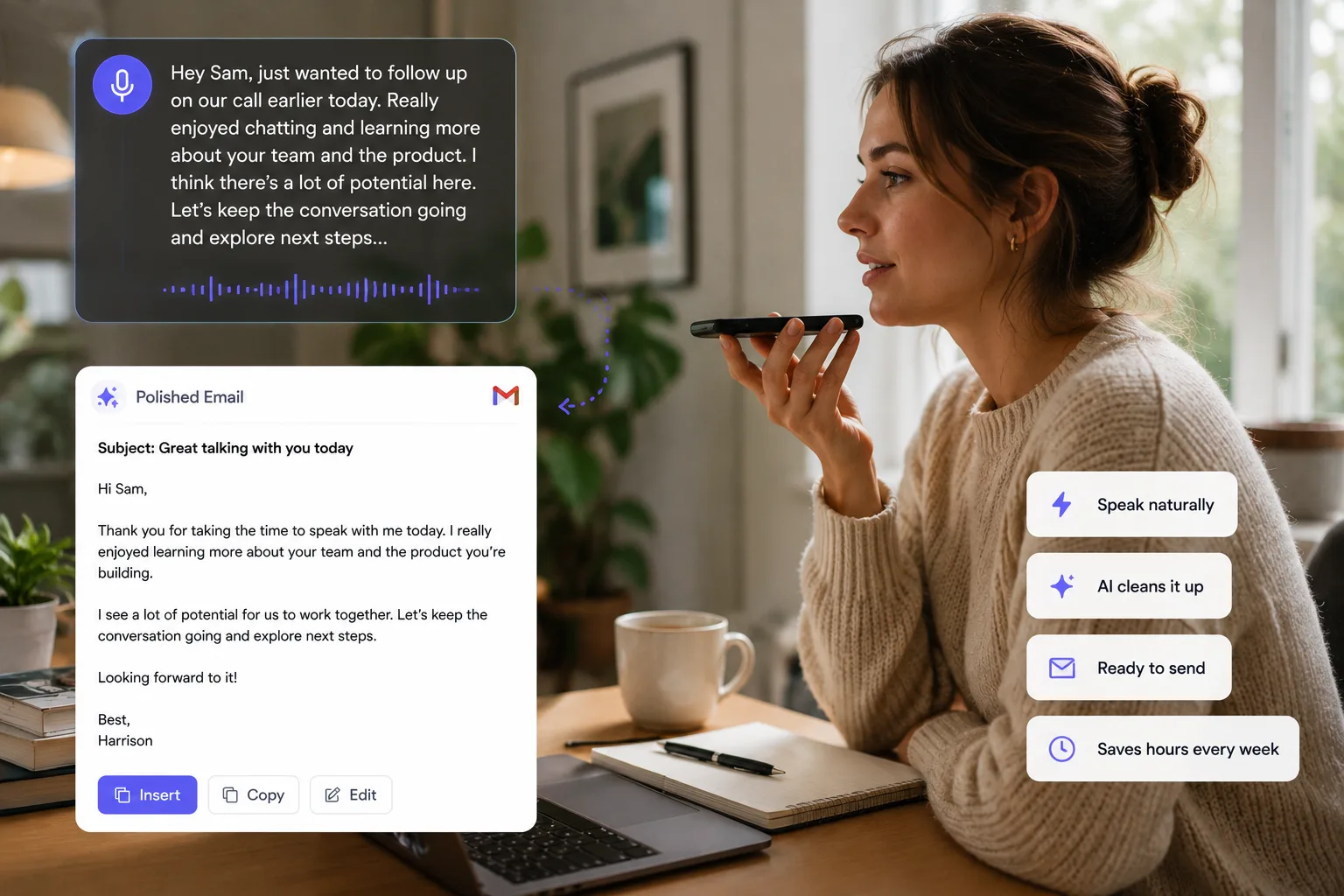
Voice Cursor is an AI voice dictation app that helps you turn rough speech into polished writing. You speak naturally. Voice Cursor helps clean up the grammar, remove verbal clutter, and produce text you can use in the apps where work already happens.
Traditional transcription captures what you said. AI dictation should help capture what you meant.
When you speak out loud, your first version may include filler words, restarts, unfinished sentences, or phrases like "wait, actually" and "you know." That is normal. Human speech is messy. The value of AI dictation is not preserving every stumble. The value is turning spoken thought into usable writing.
Voice Cursor is useful for the writing that fills modern work: emails, Slack messages, Notion notes, AI prompts, Cursor instructions, customer replies, founder updates, student summaries, recruiting messages, sales follow-ups, and quick drafts you would otherwise postpone.
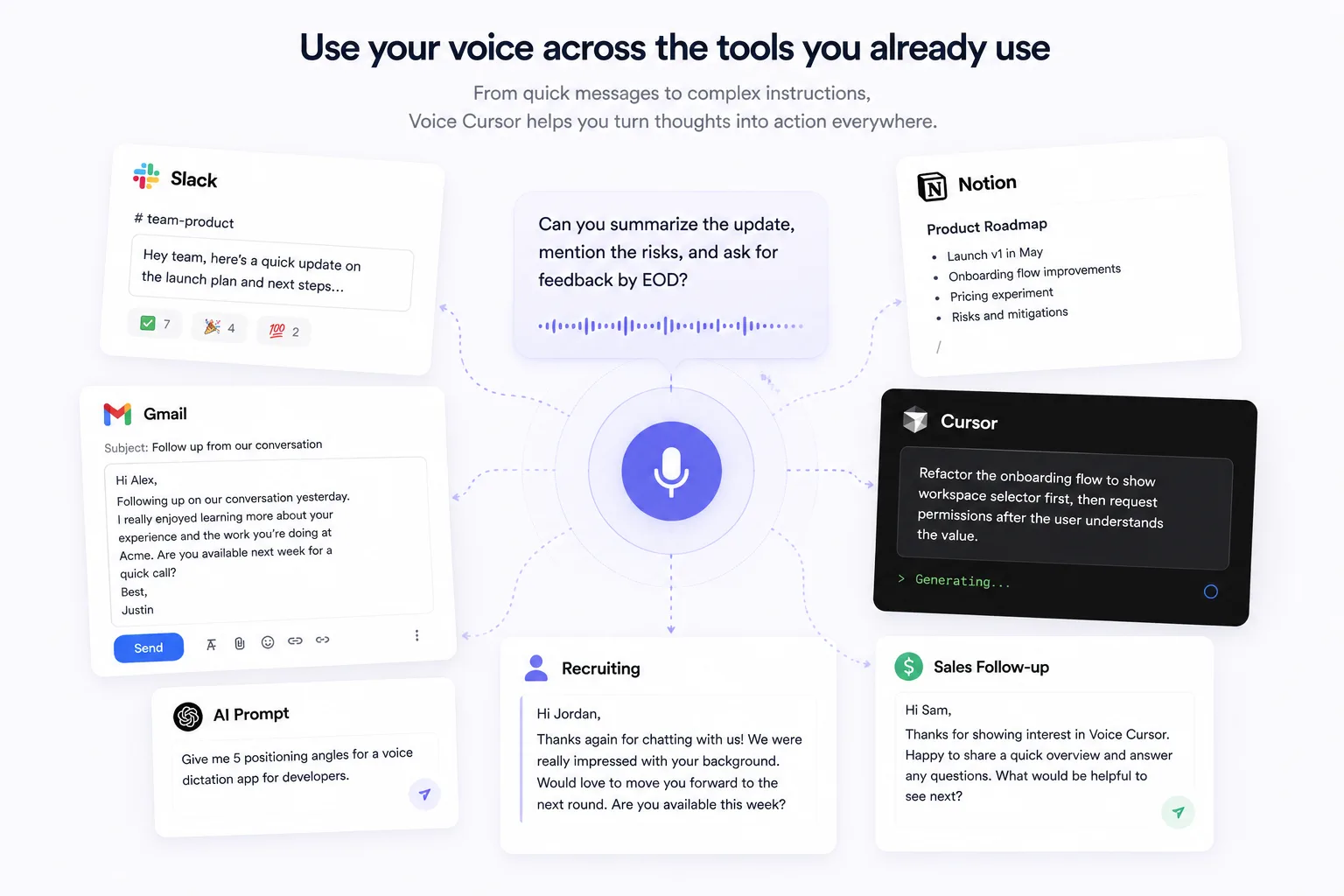
The goal is simple: make writing feel closer to thinking.
Start with voice, then refine
Typing is still useful. It is precise, familiar, and good for editing. But typing is often a bad way to start. It asks you to be structured before you have fully expressed the thought. Voice gives you a larger opening. You can say the idea first, then refine it later.
- Speak the rough version.
- Let AI clean up the language.
- Review the text.
- Edit the details.
- Send, save, or paste it where it needs to go.
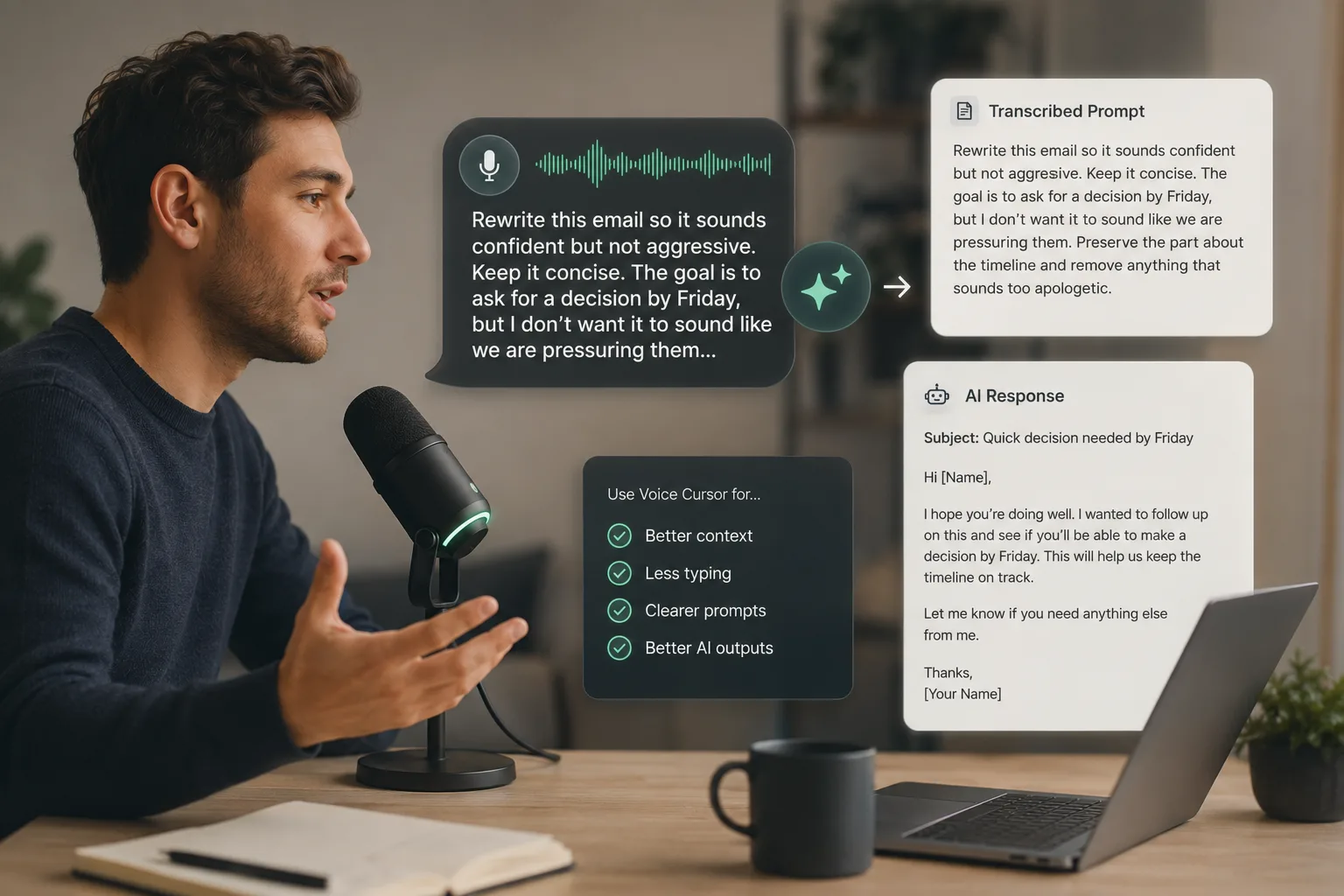
This is especially powerful when the writing has context. Instead of typing a long email from scratch, you can say: "I want to follow up with the candidate from yesterday. Mention that we liked their product sense, ask for availability next week, and keep the tone warm but direct."
Or while using an AI coding tool, you might say: "Explain that the onboarding page should show the workspace selector first, then ask for permissions only after the user understands what they are connecting." That is the kind of instruction that is easier to speak than type.
A practical piece of the conversational interface
Voice Cursor sits in that gap between thought and text. It is for people who write all day but do not think of themselves as writers. Founders, developers, recruiters, students, designers, salespeople, consultants, operators, and creators all spend huge parts of their day turning ideas into written language.
The bigger shift is that computers are becoming more conversational. For years, we adapted ourselves to the machine: keyboard, mouse, menus, shortcuts, command lines, tiny buttons, endless tabs. AI is changing that. The next interface will be more natural, more fluid, and more language-driven.
AI voice dictation is one of the first practical pieces of that future. Not because everyone will stop typing. Because more people will stop starting with typing.
FAQ
What is an AI voice dictation app?
An AI voice dictation app turns spoken language into written text, often improving grammar, clarity, formatting, and structure along the way.
How is AI dictation different from transcription?
Transcription tries to capture what you said. AI dictation tries to create usable writing from what you meant.
Who should use Voice Cursor?
Voice Cursor is useful for anyone who writes often: founders, developers, students, recruiters, salespeople, creators, consultants, and productivity-focused professionals.
Voice Cursor を試す
話した思考を、洗練された文章へ。
Voice Cursor をダウンロードして、普段使うアプリで AI 音声ディクテーションを活用しましょう。
アプリをダウンロード